
Note
Go to the end to download the full example code.
Editing network geometry: Splitting link#
In this example, we split a link right in the middle, while keeping all fields in the database equal. Distance is proportionally computed automatically in the database.
References
See also
Several functions, methods, classes and modules are used in this example:
aequilibrae.project.network.links()
# Imports
from uuid import uuid4
from tempfile import gettempdir
from os.path import join
from aequilibrae.examples import create_example
from shapely.ops import substring
import matplotlib.pyplot as plt
# We create the example project inside our temp folder
fldr = join(gettempdir(), uuid4().hex)

project = create_example(fldr)
Environment variable 'AEQ_SPATIALITE_DIR' was provided (C:\path\to\existing\download), but mod_spatialite could not be loaded from this directory. Trying system path
We will split link 37 right in the middle. Let’s get the link and check its length.
links = project.tables.links
all_nodes = project.tables.nodes

link = links.get(37)
print(link.distance)
6010.108655014215
The idea is basically to copy a link and allocate the appropriate geometries to split the geometry we use Shapely’s substring.
new_link_id = links.copy(37)

first_geometry = substring(link.geometry, 0, 0.5, normalized=True)
second_geometry = substring(link.geometry, 0.5, 1, normalized=True)

links.update(37, geometry=first_geometry)
links.update(new_link_id, geometry=second_geometry)
Retrieve the updated immutable records from the database.
link = links.get(37)
new_link = links.get(new_link_id)
print(link.distance, new_link.distance)
3005.0401841417406 3005.0684894894516
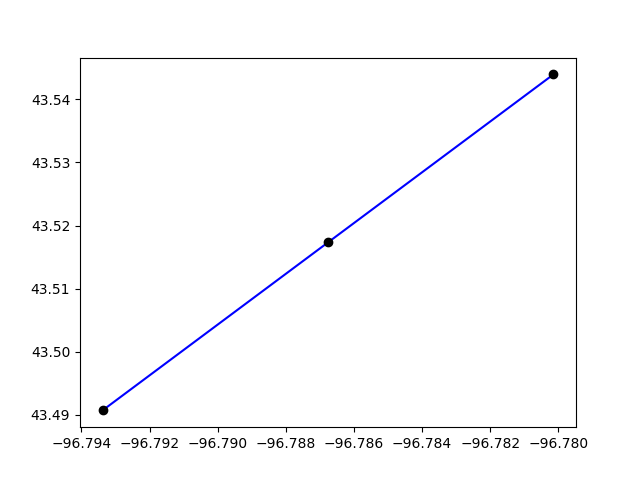
# We can plot the two links only
plt.clf()
plt.plot(*link.geometry.xy, color="blue")
plt.plot(*new_link.geometry.xy, color="blue")

for node in [link.a_node, link.b_node, new_link.b_node]:
    geo = all_nodes.get(node).geometry
    plt.plot(*geo.xy, "o", color="black")
plt.show()
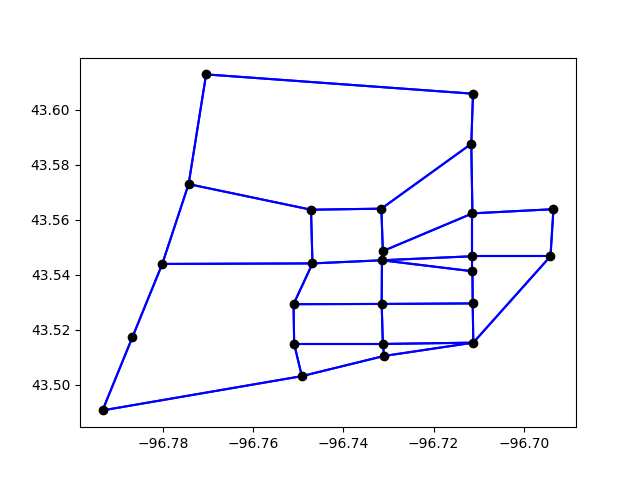
# Or we plot the entire network
plt.clf()

link_ids = links.data["link_id"].values.tolist()
for lid in link_ids:
    geo = links.get(lid).geometry
    plt.plot(*geo.xy, color="blue")

node_ids = all_nodes.data["node_id"].values.tolist()
for nid in node_ids:
    geo = all_nodes.get(nid).geometry
    plt.plot(*geo.xy, "o", color="black")

plt.show()
Total running time of the script: (0 minutes 0.304 seconds)